Overview
In this assignment, you’ll analyze crime incident data from Rutgers University’s public safety database using hash tables with separate chaining. You’ll be working with authentic crime log data from the New Brunswick campus, including detailed information about each incident such as case numbers, nature of crimes, report and occurrence dates, locations across campus, and case dispositions.
You’ll implement all methods in the RUCrimeDatabase.java class to create a hashtable structure that uses the separate chaining collision resolution approach you’ve learned in lecture. The data structure will store incidents based on their case numbers, with each Incident containing all related incidents for a particular case. Through this implementation, you’ll gain hands-on experience building an efficient system for crime data analysis while learning more about safety patterns within the Rutgers community.
The data we will be using was obtained directly from Rutgers’ Daily Crime & Fire Safety Log, specifically focusing on New Brunswick campus incidents, with slight edits made to the provided data.
Implementation
Overview of files provided
- RUCrimeDatabase.java (you will be submitting this file)
This file is where you will complete the implementation of various methods to process and analyze crime logs. The methods in this class will create the hashtable and perform calculations based on the provided data. You will be writing your code in this file. DO NOT edit the provided methods or the methods signatures of any method.- incidentTable is the array of linked lists which is our hash table structure
- totalIncidents tells us how many items are in our hash table
- LOAD_FACTOR_THRESHOLD is a final double meaning it can not be changed, this will be used within addIncident and it lets us know when to resize our hash table
- Incident.java – This class will be storing each individual crime record with attributes like incident number, nature, dates, location, and disposition. Do not modify this file.
- Category.java – an enum class which represents constant values which you will use in the natureBreakdown() method, this is explained more within the method description below. Do not modify this file.
- Driver.java – The driver will be testing all implemented methods through command-line input and output. You can modify this for your own testing purpose.
- StdIn and StdOut, which are used by the driver. Do not edit these classes.
- Multiple csv files which contain comprehensive data about each crime incident. The data file includes the incident number, nature, report date, occurrence date, location, disposition, and general location of each crime committed.
Working with LLNode<> objects
For assignments/labs in CS112, we will use a cs112.jar file containing useful classes. This includes the LLNode<> class, which implements a singly linked list node.
- The LLNode class takes in a generic type, which means it can store any type of data.
- Making a node: LLNode newNode = new LLNode(data) (replace T with a type)
- Note that the data must be passed in for the constructor, and the data of a node can not be changed later (aka it is immutable)
- Methods:
- getNext() – returns the next node in the linked list
- getData() – returns the data stored in the current node
- setNext(LLNode nextNode) – sets the next node of the current node to nextNode
Implementation Notes
-
DO NOT add any instance variables to the RUCrimeDatabase class
-
DO NOT add any public methods to the RUCrimeDatabase class
-
DO NOT change the headers of ANY of the given functions
-
DO NOT add any import statements
-
DO NOT change the class name
-
DO NOT use System.exit()
Programming
To complete this assignment, you will implement the following methods to build, maintain, modify, and analyze the database of crimes.
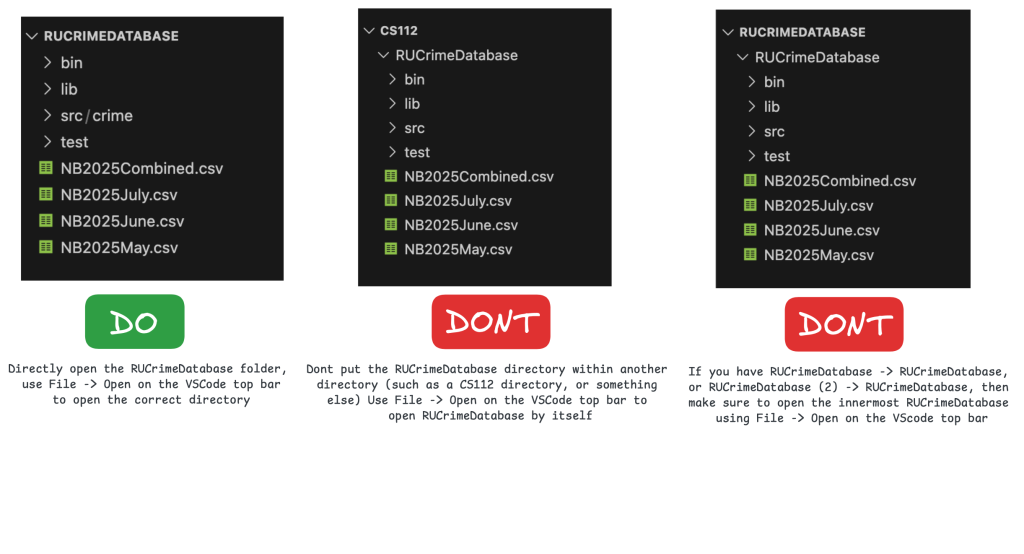
To Run: run the following commands from the innermost RUCrimeDatabase directory, containing the src and bin folders.
- Compile:
- Windows: javac -d bin -cp “lib/cs112.jar” src/crime/*.java
- Mac/Linux: javac -d bin -cp lib/cs112.jar src/crime/*.java
- Run:
- Windows: java -cp “bin;lib/cs112.jar” crime.Driver
- Mac/Linux: java -cp bin:lib/cs112.jar crime.Driver
Ensure that you are working in the correct directory. See this image:
buildIncidentTable(String inputfile)
This method is responsible for reading data from a CSV file. You will read the csv file line by line, until every line has been read.
The method reads the input file and calls addIncident. Each row of the CSV contains crime logs and comma-separated information about them.
Some helpful methods you will use in this method are:
- StdIn.setFile – sets the file that will be read from
- StdIn.readLine – reads a single line from the input file
- StdIn.isEmpty – returns true is there is nothing left to read in the input file, or false if every line has been read
- string.split(“,”) – given a single string, this creates an array of strings by splitting them based on the given argument, here since we are using csvs we will split each lines by commas
Given a line from the input file, split each line to extract information such as incident number, nature, and dates, along with other various attributes. The indices for all the contents required are as follows:
- Incident number: index 0
- Nature: index 1
- Report Date: index 2
- Occurrence Date: index 3
- Location: index 4
- Disposition: index 5
- General Location: index 6
- Category: use Category.fromString() using the Nature to get this value
Create a new Incident object with the above information, and then call addIncident() for that new Incident object.
- To test buildIncidentTable, implement this method and the addIncident method and test in the driver.
- All methods after rehash require the structure to be created using buildIncidentTable.
Submit RUCrimeDatabase.java to Autolab under “early submission” for 5 points extra credit.
To test this method, first boot up the Driver. You will see a database display, with an input panel above it and a info panel below it.
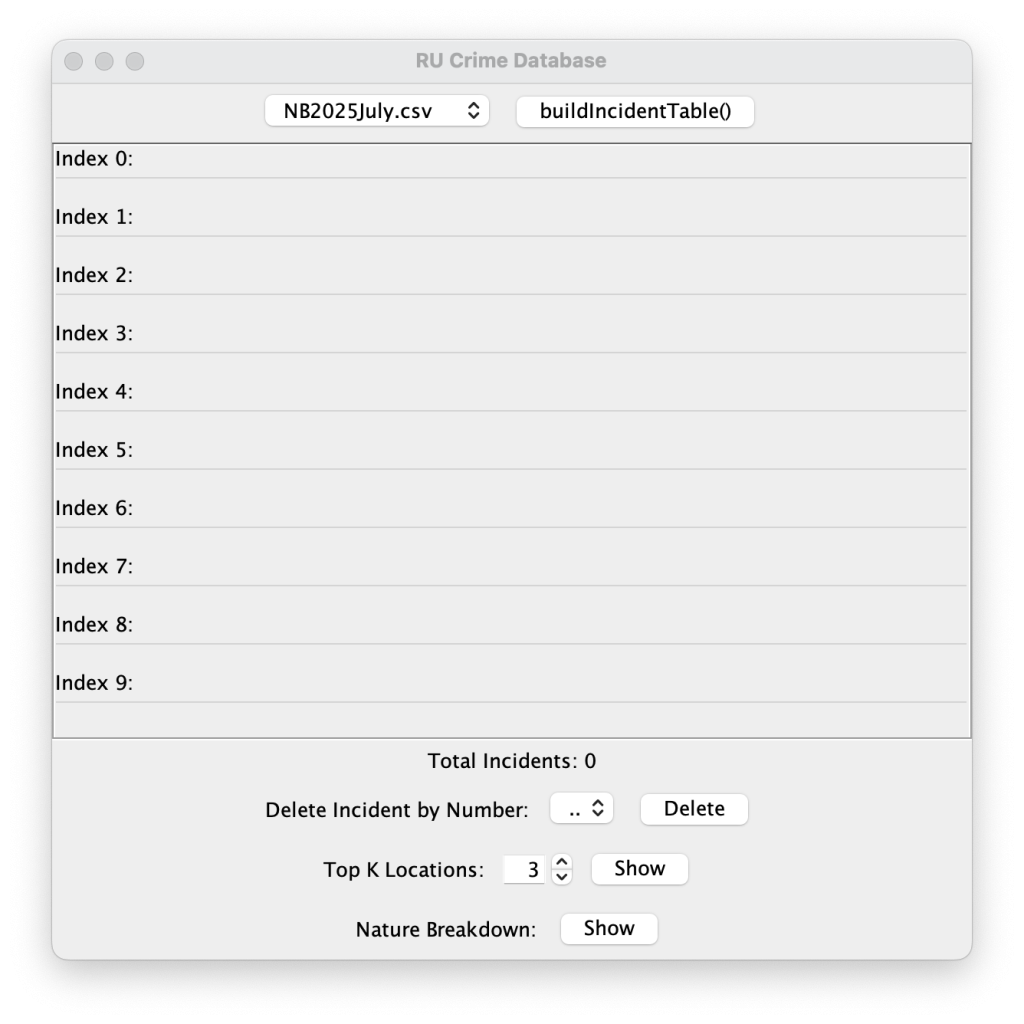
Then, select the buildIncidentTable() button with NB2025July.csv selected. If you scroll down to the bottom of the resulting table, you should see this:
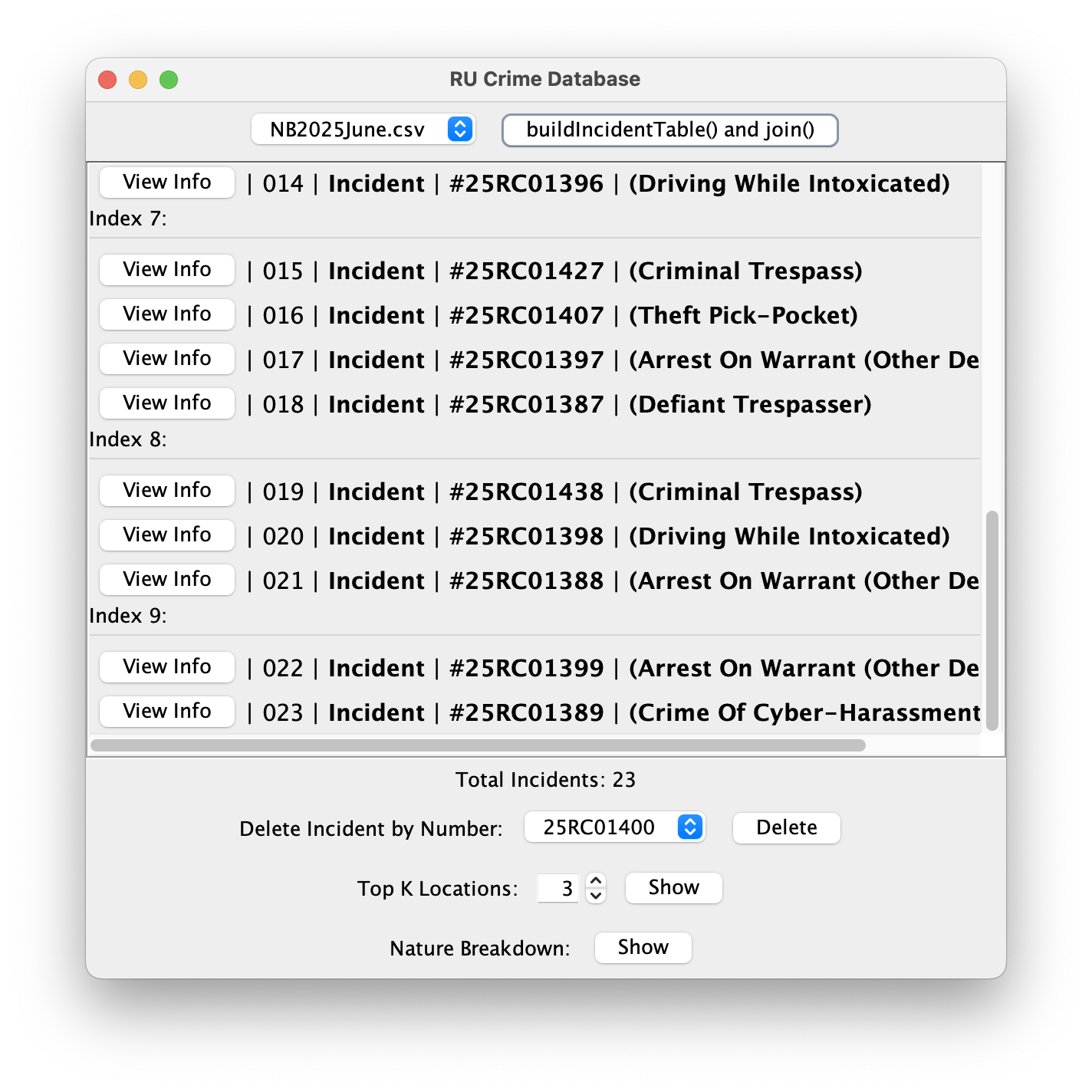
If you scroll to the top and select View Info for the first incident (25RC01400), it should match the following.

rehash()
This method is responsible for doubling the size of the incidentTable array, and rehashing all of the elements.
To complete this method:
- Store a reference to the original hash table
- Set the incidentTable attribute equal to a new hash table, with double the size.
- Set the totalIncidents back to 0.
- Iterate over all of the old incidents and call addIncident() on each.
To test this method, boot up the Driver. Select buildIncidentTable() with NB2025June.csv. Then scroll down to the bottom of the database, and compare: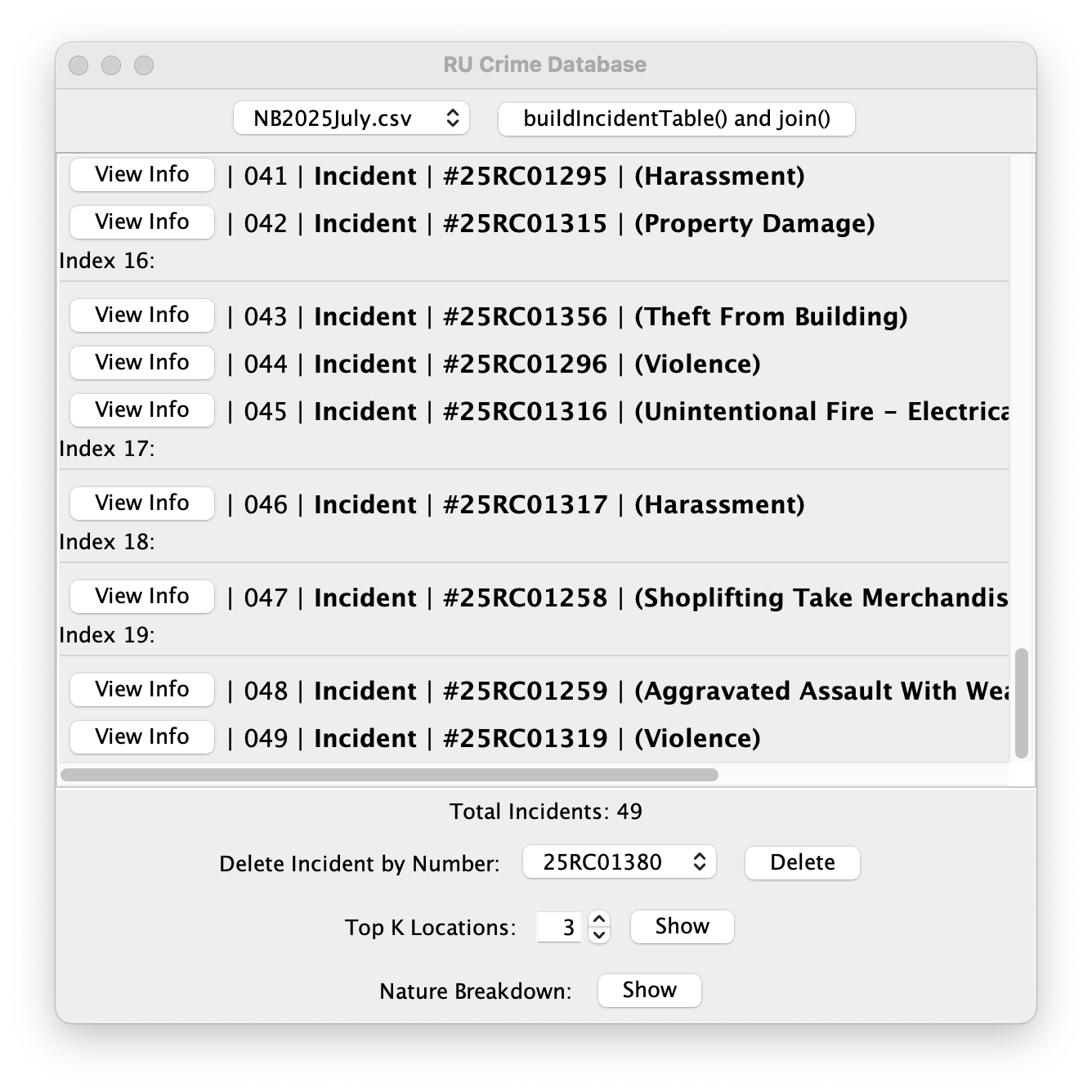
deleteIncident(String incidentNumber)
This method is responsible for deleting an Incident from the hash table based on its incident number.
To complete this method:
- Calculate the table index of the incident number
- Search the table list at the hashed index
- If an Incident exists with that incident number (use .equals to compare), remove it from the list, otherwise do nothing
(make sure to handle front of list case) - Decrement totalIncidents
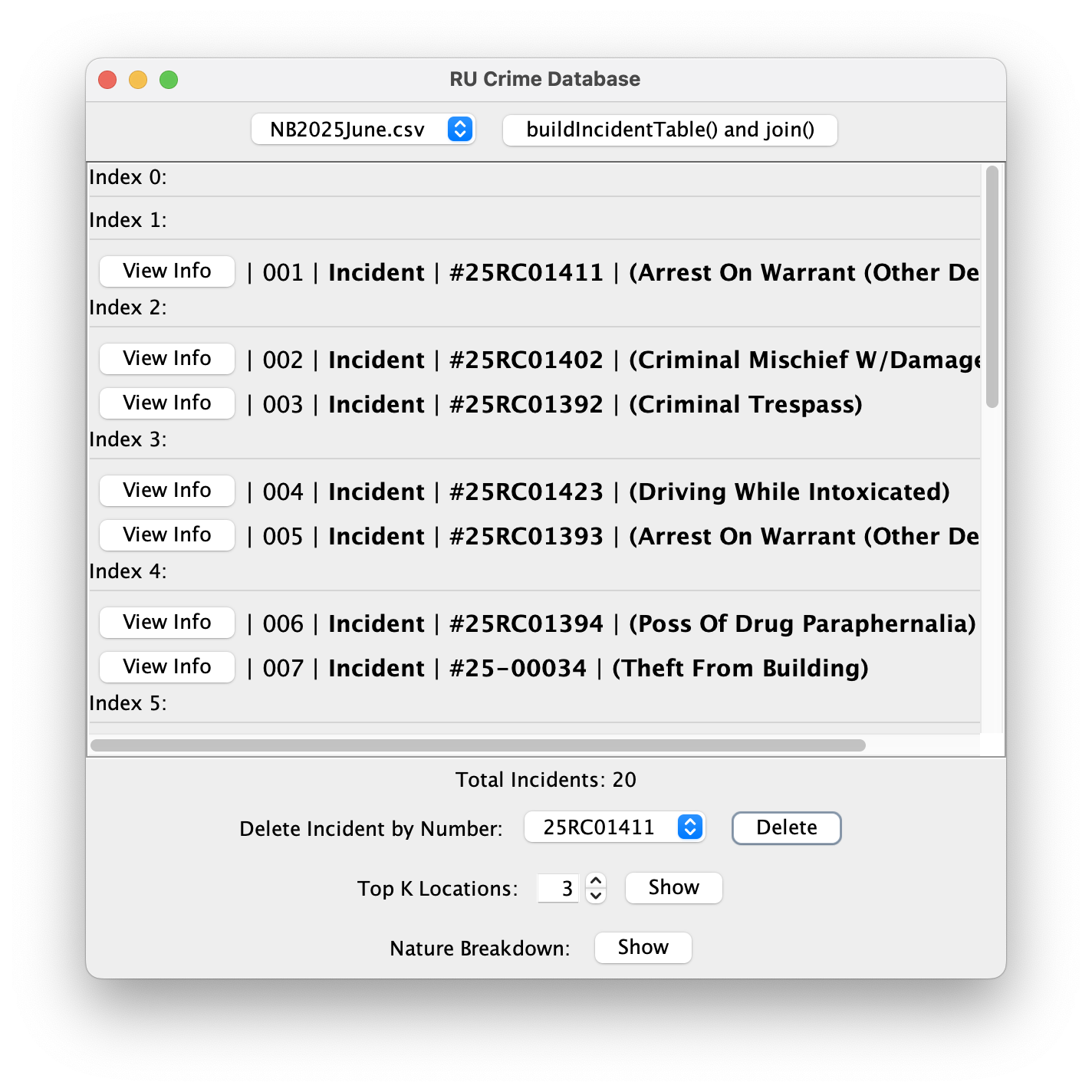
To test this method, buildIncidentTable() with NB2025July.csv, then delete the following incidents:
- 25RC01400
- 25RC01401
- 25RC01422
After, compare to the following:
join(RUCrimeDatabase other)
This method takes another RUCrimeDatabase object, and merges its incidents into the current database.
To complete this method:
- Iterate over all of the incidents in the other RUCrimeDatabase (use .getIncidentTable)
- Insert each incident using addIncident() ONLY IF it does not currently exist in incidentTable
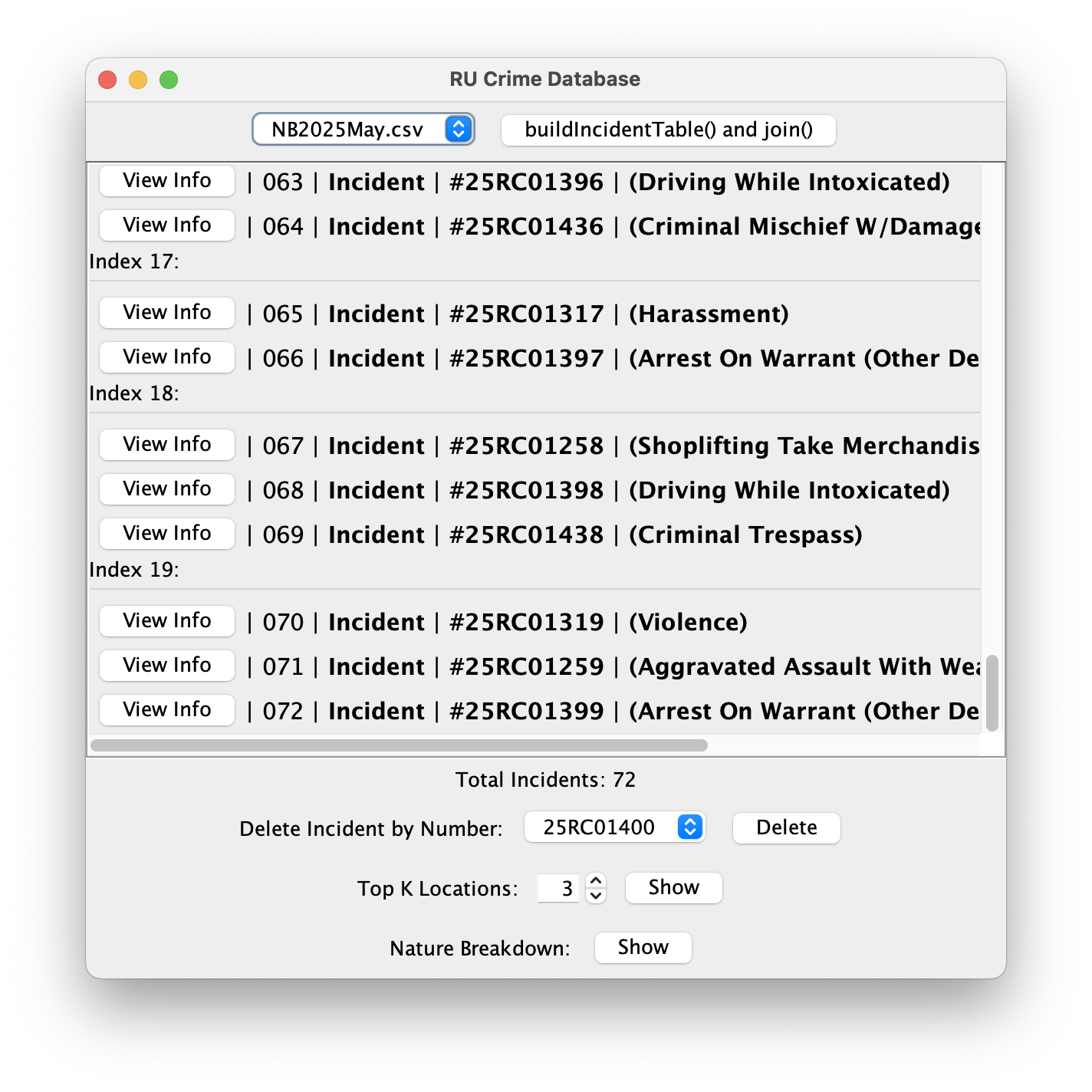
To test this method, first buildIncidentTable() with NB2025July.csv. Then, select NB2025June.csv, and select the “buildIncidentTable() and join()” button.
This will create a new RUCrimeDatabase and build its table, then call your join() method to merge it into the current database. Then, scroll to the bottom and compare:

natureBreakdown()
This method returns a HashMap, which maps each unique incident Category (from Category.java) to its frequency percentage in the database.
Working With HashMaps
- The java.util package contains many premade data structures such as ArrayList, LinkedList, and HashMap.
- HashMap is a Java <key, value> data structure, functionally equivalent to a Hash Table.
- HashMap<K,V> map = new HashMap<K, V>(); will initialize an empty map, with keys having type K and values having type V.
- map.put(K key, V value) will put the given value into the hash map with the given key, or update the value if it is already present.
- map.get(K key) will return the corresponding value for the given key.
- HashMaps (and other implementations like HashSet, Hashtable) are good for solving many problems.
- Tracking values for many different variables (keys)
- Finding duplicates / frequency of elements
- Tracking pairs (such as two sum)
- You can loop over a HashMap with “for (Entry<Key, Value> entry : map.entrySet())”
- Then, “entry” loops over every key-value pair in the map.
- Use entry.getKey() and entry.getValue() to get the current key-value data.
Category.java is an Enum class, indicated by its class declaration “public enum Category”
- An Enum is a simple object which represents constant values. In this case, the enum contains 5 values representing 5 different incident categories (PROPERTY, VIOLENT, MISCHIEF, TRESPASS, OTHER). You will use these values to help keep track of counts in your hashmap
- These values are static, meaning they are accessible through the class itself.
- ex: Category.TRESPASS, Category.OTHER…
For example: key -> value, PROPERTY -> 23.57, VIOLENT -> 17.23, MISCHIEF -> 15.25, TRESPASS -> 23.90, OTHER -> 20.05
To complete this method:
- Create a HashMap<Category, Double> to store the nature breakdown
- Call the put(key, value) method five times, to add each of the five nature categories to the HashMap each with value 0.0
- Iterate over all incidents, and using the getCategory() method, increment the corresponding HashMap value
- You can use map.put(key, map.get(key) + 1) to simply increment the value in place.
- replace “map” with your breakdown hash map and the “key” with the incidents Category
- Finally, convert each nature counter in the HashMap to a percentage using:
- map.put(key, 100 * (map.get(key) / totalIncidents))
- replace “map” with your breakdown hash map and the “key” with the incidents Category
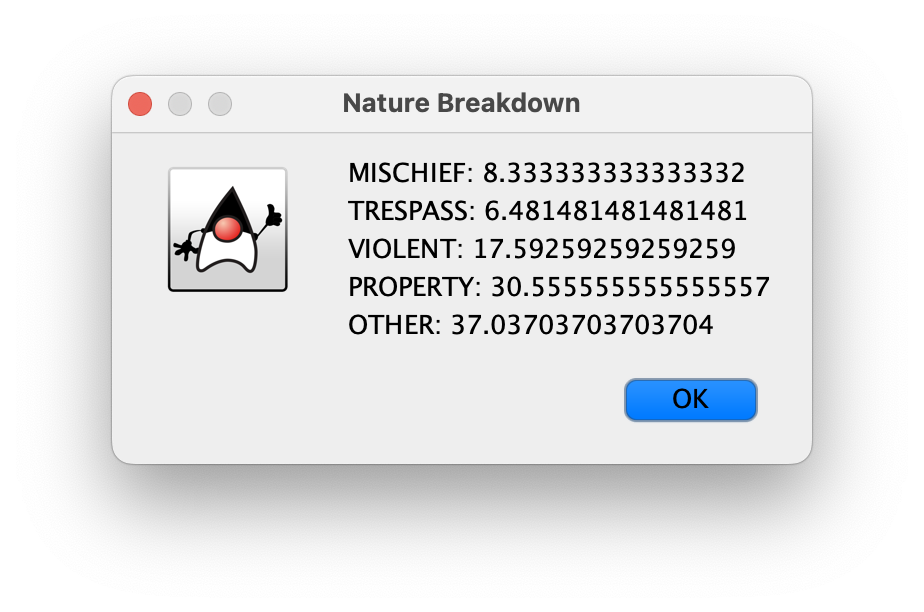
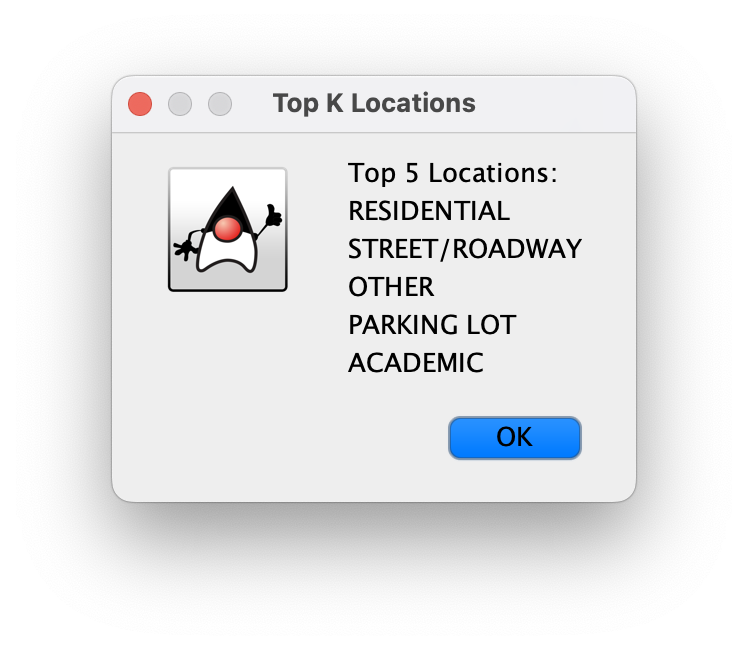
To test this method, first buildIncidentTable() with NB2025May.csv. Then, click the “Show” button for nature breakdown, to view and compare the values.